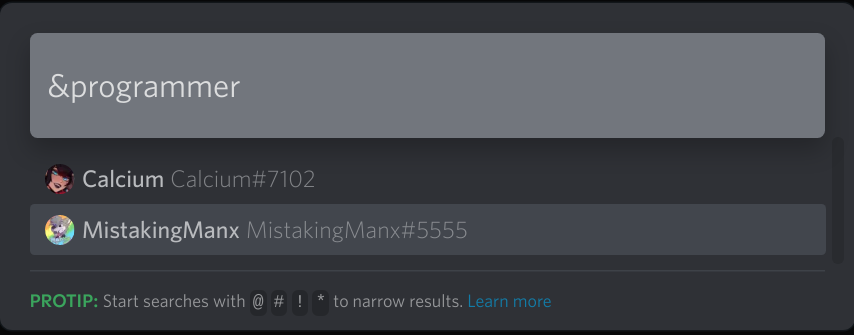
Allows you to add custom tags to users. You can use these tags to filter users by their tags using the Quick Switcher.
- Download the 'UserTags.plugin.js' file
- Add it to your Better Discord plugins folder
To search for users with a specific tag, you can add a & character before the tag. You can search for multiple tags by adding a space between the tags. Or even search for users that don't have a tag by adding a ! character before the tag. For example:
&admin
&admin &mod
&admin &mod &!bot
To add a tag to a user, open the users profile and click on the + button. A new text input will appear where you can add the tag. Tags save automatically as you type.
To remove a tag from a user, open the users profile and click on the small X button next to the tag.