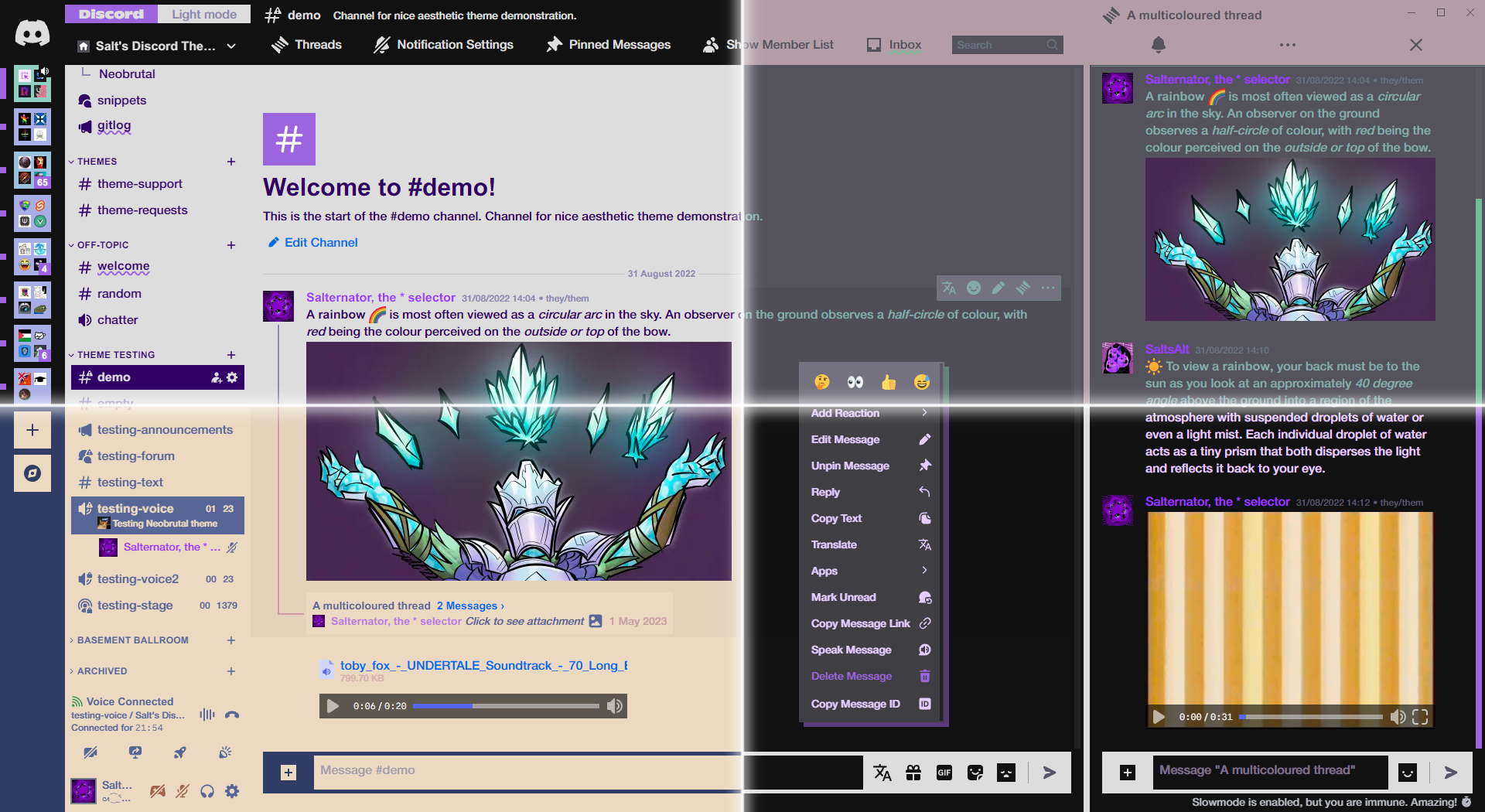



Neobrutalism brought to Discord.
| Light mode | Dark mode |
|---|---|
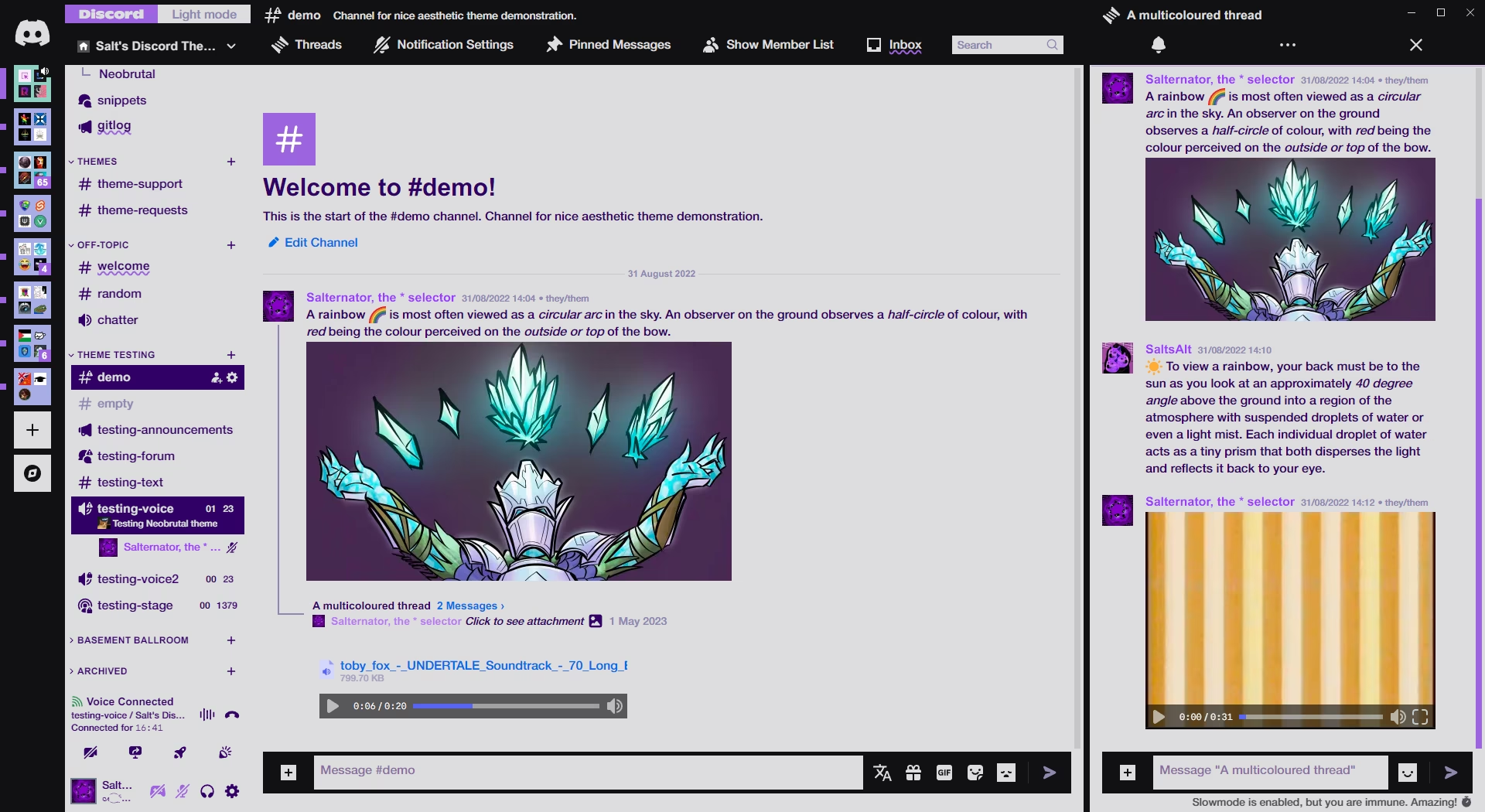 |
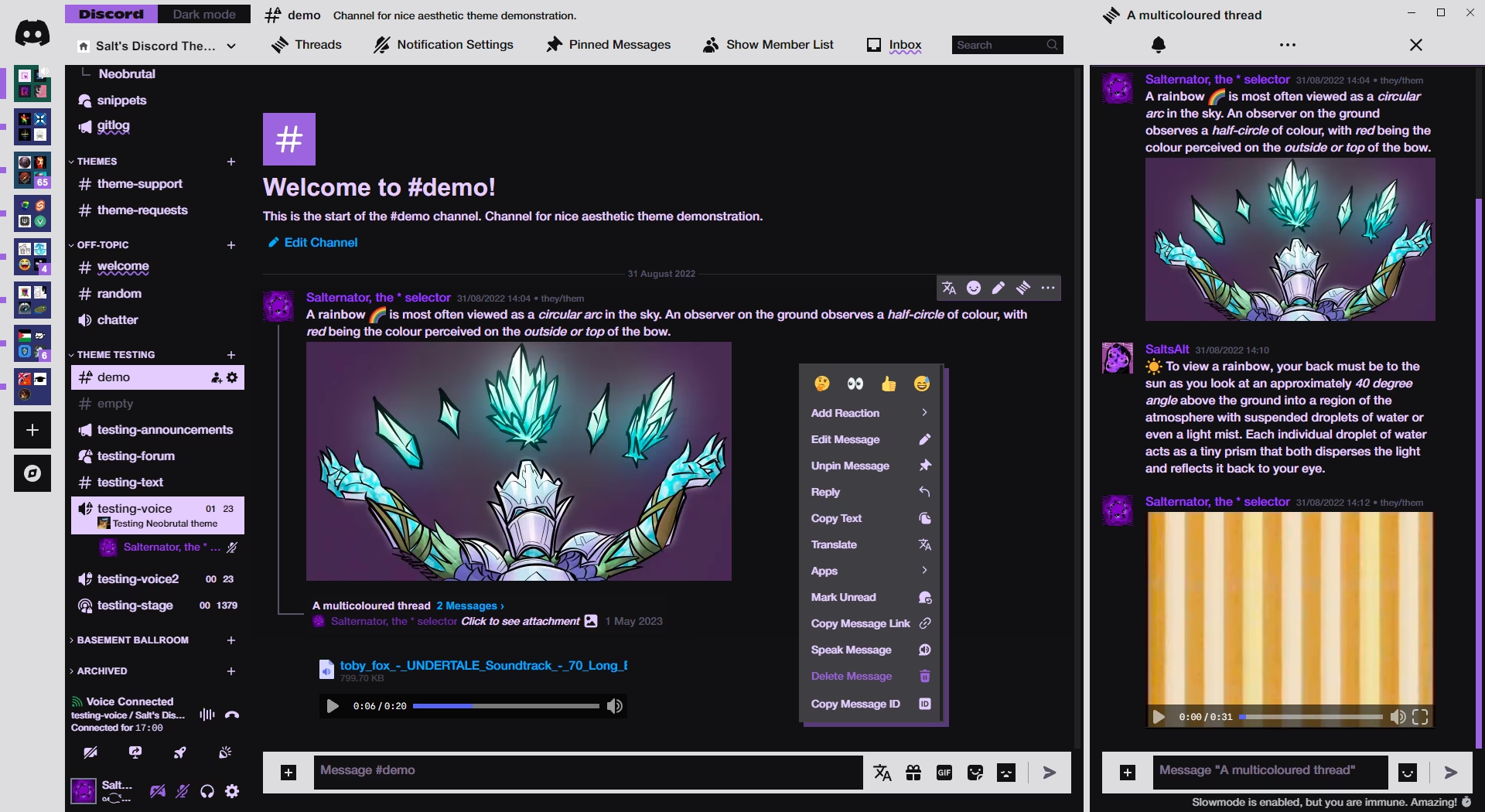 |
Click to expand
- Download
Neobrutal.theme.css: - Place the file in the themes folder:
-
Settings>BetterDiscord>Themes>Open Themes Folder
-
- Toggle on the theme card.
Click to expand
- Click to install:
- Download
net.saltssaumure.Neobrutal.asar: - Place the file in the themes folder:
-
Settings>Replugged>Themes>Open Themes Folder
-
- Click
Load Missing Themesand toggle on the theme card.
Click to expand
- Download
Neobrutal.theme.css: - Place the file in the themes folder:
-
Settings>Vencord>Themes>Local Themes>Open Themes Folder
-
- Click
Load missing Themesand toggle on the theme card.
- Paste the link in
Settings>Vencord>Themes>Online Themes:https://saltssaumure.github.io/neobrutal-discord-theme/Neobrutal.theme.css
| Light mode | Dark mode |
|---|---|
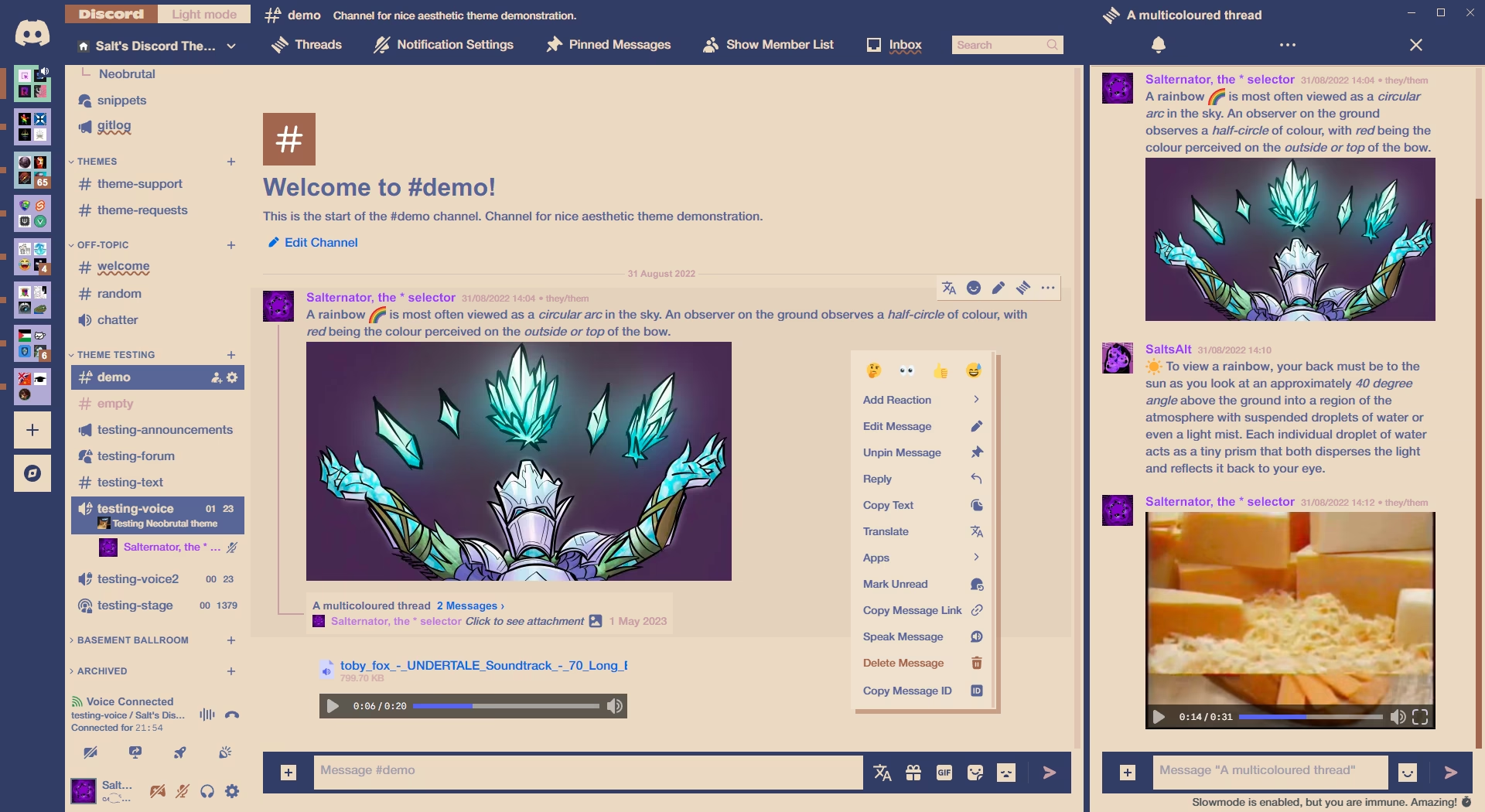 |
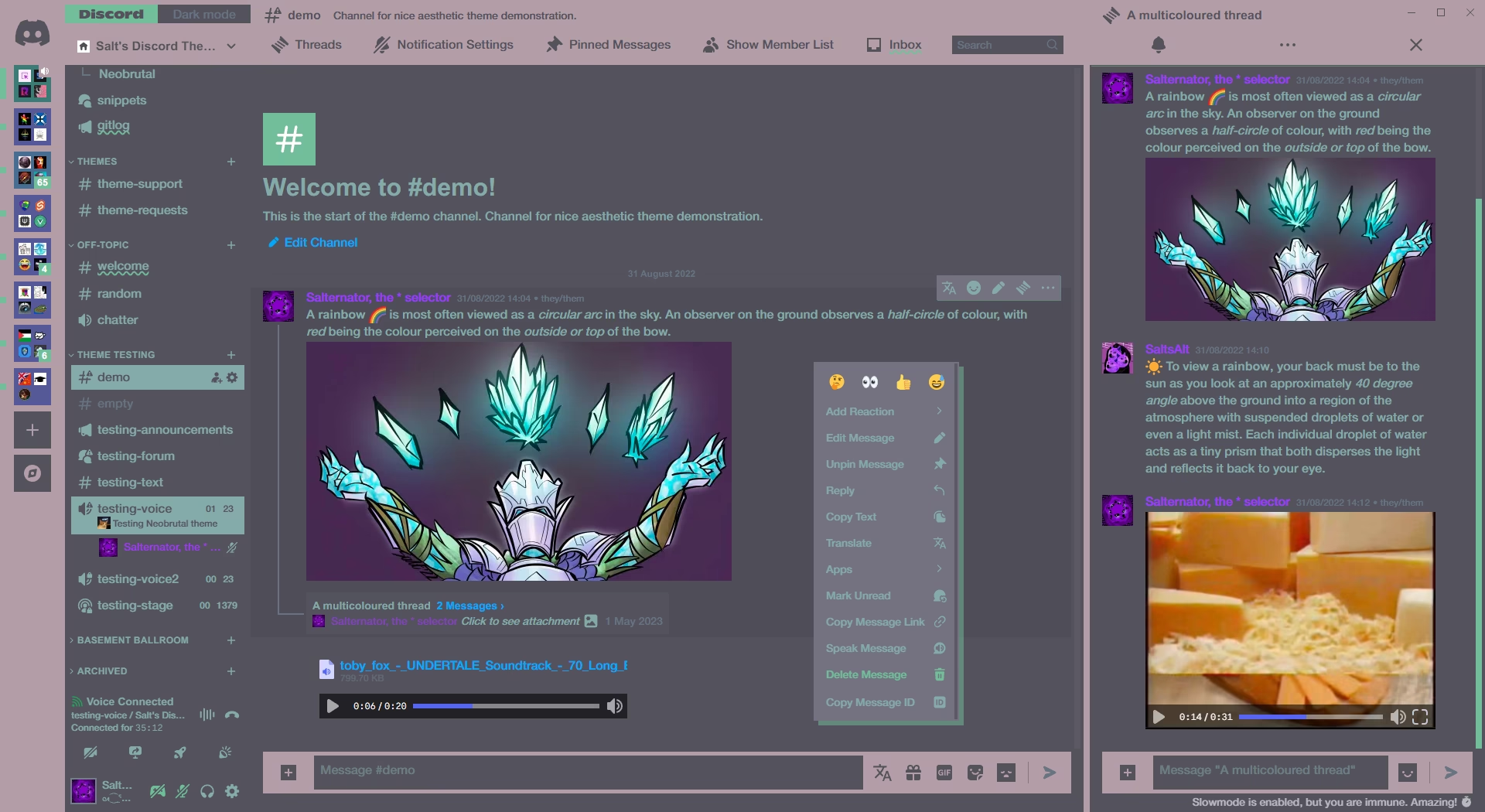 |
| Variable name | Description | Valid values | Default light | Default dark |
|---|---|---|---|---|
--neobrutal-color-1 |
Header background colour | Any colour. | #000 |
#fff |
--neobrutal-color-2 |
Chat background colour | Any colour. | #fff |
#000 |
--neobrutal-color-text |
Text color | Any colour. | #300066 |
#e4ccff |
--neobrutal-color-accent |
Accent colour | Any colour. | #9d64df |
#9d64df |
Click to expand
- Open
Settings>BetterDiscord>Themes. - Click the pencil icon on this theme.
- Edit the variable values and save changes.
Click to expand
- Enable
Automatically Apply Quick CSSinSettings>Replugged>General. - Open
Settings>Replugged>Quick CSS. - Copy and paste lines 15-28 of
Neobrutal.theme.css. - Edit the variable values and save.
Click to expand
-
Open Themes FolderinSettings>Vencord>Themes>Local Themes - Open
Neobrutal.theme.csswith your favourite text editor. - Edit the variable values and save.
-
Enable Custom CSSinSettings>Vencord>Vencordand clickOpen QuickCSS File. - Copy and paste lines 15-28 of
Neobrutal.theme.css. - Edit the variable values.
Copyright (c) 2024 Saltssaumure
This theme is free software: you can redistribute it and/or modify it under the terms of the GNU Affero General Public License as published by the Free Software Foundation, either version 3 of the License, or (at your option) any later version.
This theme is distributed in the hope that it will be useful, but WITHOUT ANY WARRANTY; without even the implied warranty of MERCHANTABILITY or FITNESS FOR A PARTICULAR PURPOSE. See the GNU Affero General Public License for more details.
- Helvetica Neue by Linotype
- Noto Emoji by Google - OFL 1.1
- Post an issue on GitHub.
- Post in
#theme-supporton my support server.